1 month of agentic development: lessons learned
6 min read
Per the advice of my supervisor, I decided to buy the $34 a month Claude subscription. For the past several years I have used ChatGPT for everyday questions, help, and coding, but I had been scared to venture into full agentic development.
Why I was hesitant
For the last couple of months, as AI has taken over our industry, I have been hesitant. I am well aware of the economics of AI, as well as the potential technical debt and loss of skill it can cause developers. As a recent graduate, I thought I should be focusing on gaining practical experience by hand coding projects with minimal AI usage.
However, I have to admit that I was simply wrong. Familiarity with agentic development is now an industry-wide requirement, and very few jobs are listed that don’t ask for experience with tools like Claude Code or Codex. I was also wrong to think that agentic development is as simple as writing a prompt and having the AI do all the work with little guidance or skill.
In this month I have learned all the important terminology, such as skills, MCP servers, context windows, and tokenisation. Although these tools are extremely powerful and capable of solving most problems with few retries, the AI still needs to be given an understanding of scope, architecture, and development methodologies to generate good results.
Case study: refactoring SPAOC
My first endeavour with agentic development was refactoring the codebase for SPAOC, an app that retrieves Google Calendar events via the official Google Calendar API. I’m ashamed to admit it, but around 2 years ago I was using a lot of ChatGPT to help develop the application. That involved a lot of copy pasting, which led to huge monolithic components with high coupling and no testing.
Over two weeks, the numbers looked like this:
- 67 issues closed
- 71 PRs closed
- Test coverage went from 0% to 96.47%
This is the process that got me there:
- I used Opus 5.5 to build a high-level overview of the codebase and its current issues in quality, coupling, testing, and stability.
- From that overview, it developed a roadmap of issues to be fixed.
- The roadmap generated individual GitHub issues with requirements and scope.
- I fed those issues to a model like Sonnet 5.5 to implement them.
- After each issue was complete, Claude created a PR with a summary of the changes and the decisions made. I reviewed the code and verified the changes on the simulator.
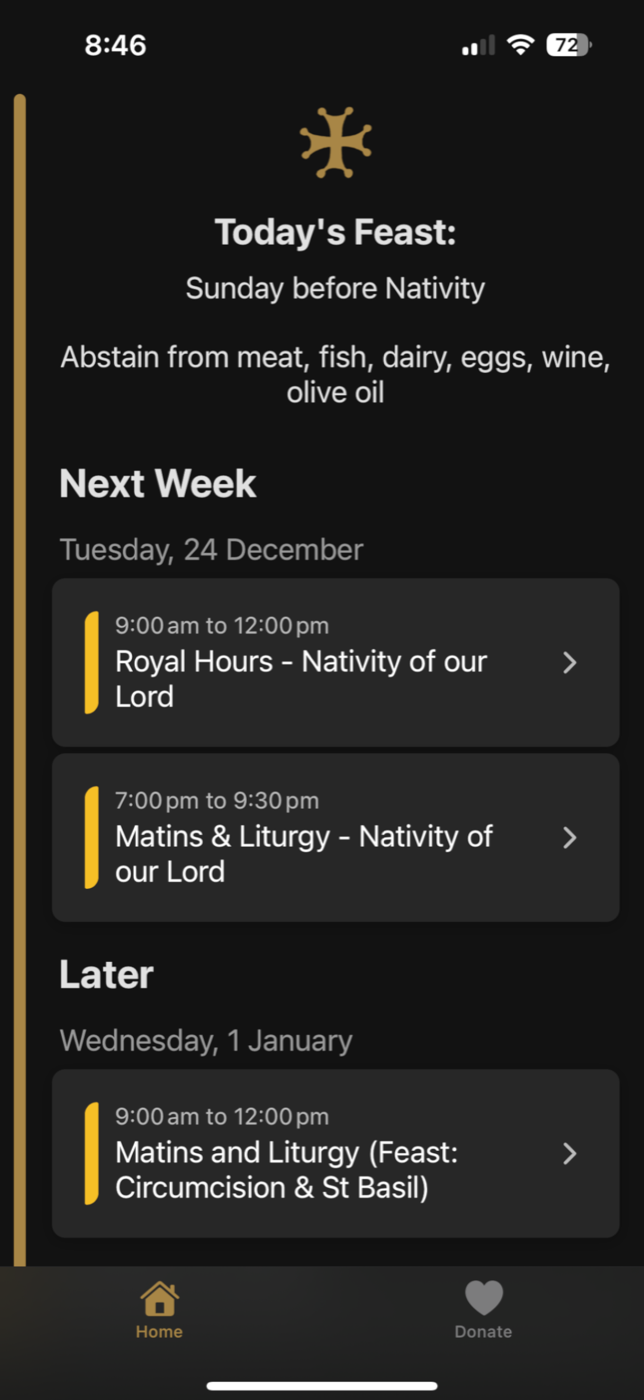
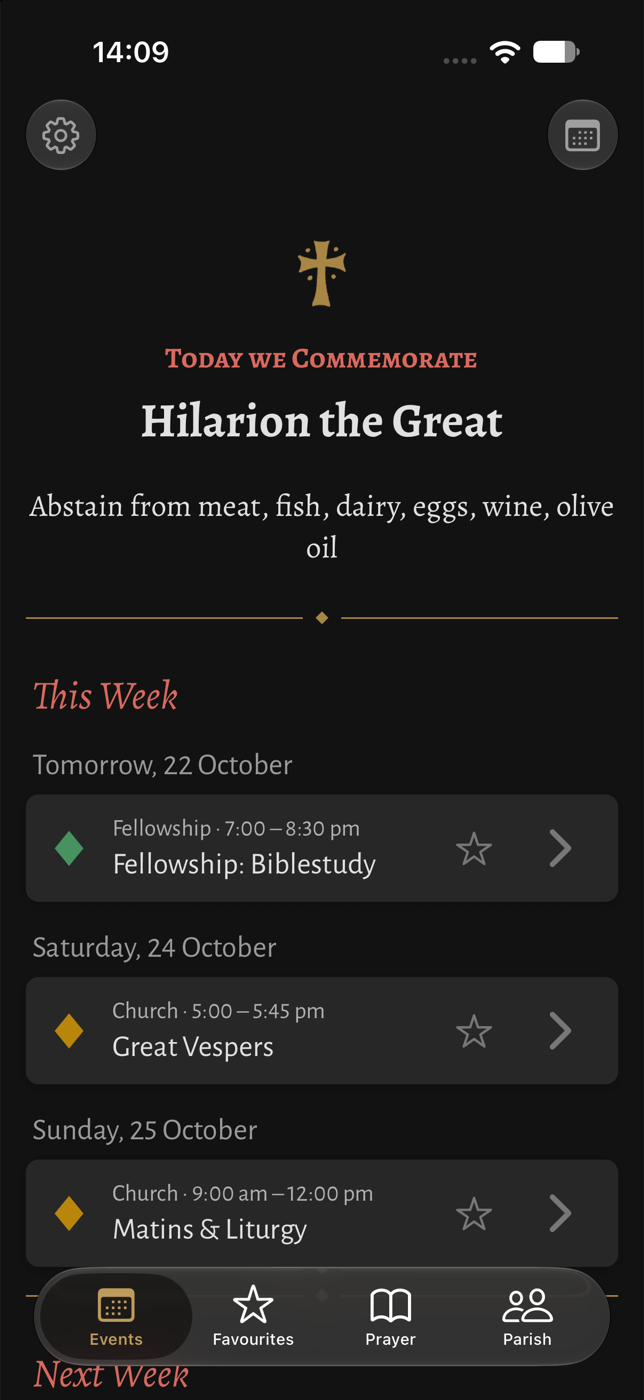
Through this method I turned a backlog that was months’ worth of work into fully complete work in roughly a week, then spent another week improving the UI and UX of the application. I was able to modernise the experience, fix many existing issues, and add features that I had wanted to add over a year ago.
And here is the home screen before and after:
Reviewing code
I told Claude to always make small commits and small, focused PRs. For example, when it was ensuring that Prettier formatting was used throughout the project, it created a PR just for that. It might change thousands of lines across hundreds of files, but I knew they were all formatting changes, so they took little to no real effort to review compared with changes to the code’s underlying logic.
For test cases, I focused on the titles rather than the implementation. I asked whether each test was really necessary or just bloating the suite.
When I started using the test-driven-development (TDD) skill by Matt Pocock, the quality of the LLM’s output improved instantly. It kept the tests focused on the task at hand instead of padding the suite with tests that only confirm what the code already does.
How it felt
Although the technology was amazing, it would be wrong to say that I didn’t have feelings of depression and purposelessness. This skill that I had been developing over the past 4 years, and for which I studied formally at university for 3 years, felt superseded. It was clear that the AI was developing and planning my project in ways that I never would have thought of. The LLM was simply more intelligent than me in so many different ways.
Where the tools fall short
Playing with it further, I learned the quirks and limitations of these tools. LLMs are not magic. They are bound by context windows, and they sometimes fail to realise which features would actually be useful to a user. The UI Claude makes is beautiful but very typical of AI projects. It always has that “Claude feel” that makes it look cheap.
The Archdiocese that my parish falls under tends to use the Alegreya typeface for its liturgical material. As a result, I had to specify that to Claude so that it could produce a UI aligned with that brand.
When the AI got it wrong
When building the diamond markers for events, the AI originally made the shape by rotating a square with CSS. It looked fine on iOS, but when I tested on Android the diamond was visibly lopsided. I described the problem to Claude, and it suggested an SVG instead, which rendered consistently on both platforms. It reminded me that passing on one device isn’t the same as working everywhere.
LLMs are extremely powerful, but they still require clear guidance and someone with a vision to maximise their value.
Lessons learned
- Turn repetition into skills. Any time you notice yourself repeating parts of a prompt, create a skill.
- Read other people’s skills. Find skills online and read through them to see how others build prompts and skills.
- Build a feedback loop. Use hooks (scripts that run automatically after the model acts) so the LLM has to verify its work through tests, linting, and typechecking.
- Bring the brand. AI makes generic UI choices, so you have to recognise the brand, what its themes are, and how to express them. Otherwise the LLM will produce a UI like every other vibe-coded app.
- Keep PRs small. One focused unit of work per PR avoids huge reviews.
Conclusion
If you’re a recent grad feeling anxious about AI, I believe the best pursuit is to try the tools for yourself, create those side projects that you have been meaning to create for ages, and focus on the high-level decisions, architecture, UX flows, and UI messaging rather than specific implementations.