Terminal Only: Shipping a Portfolio in One Night with Claude Code
7 min read
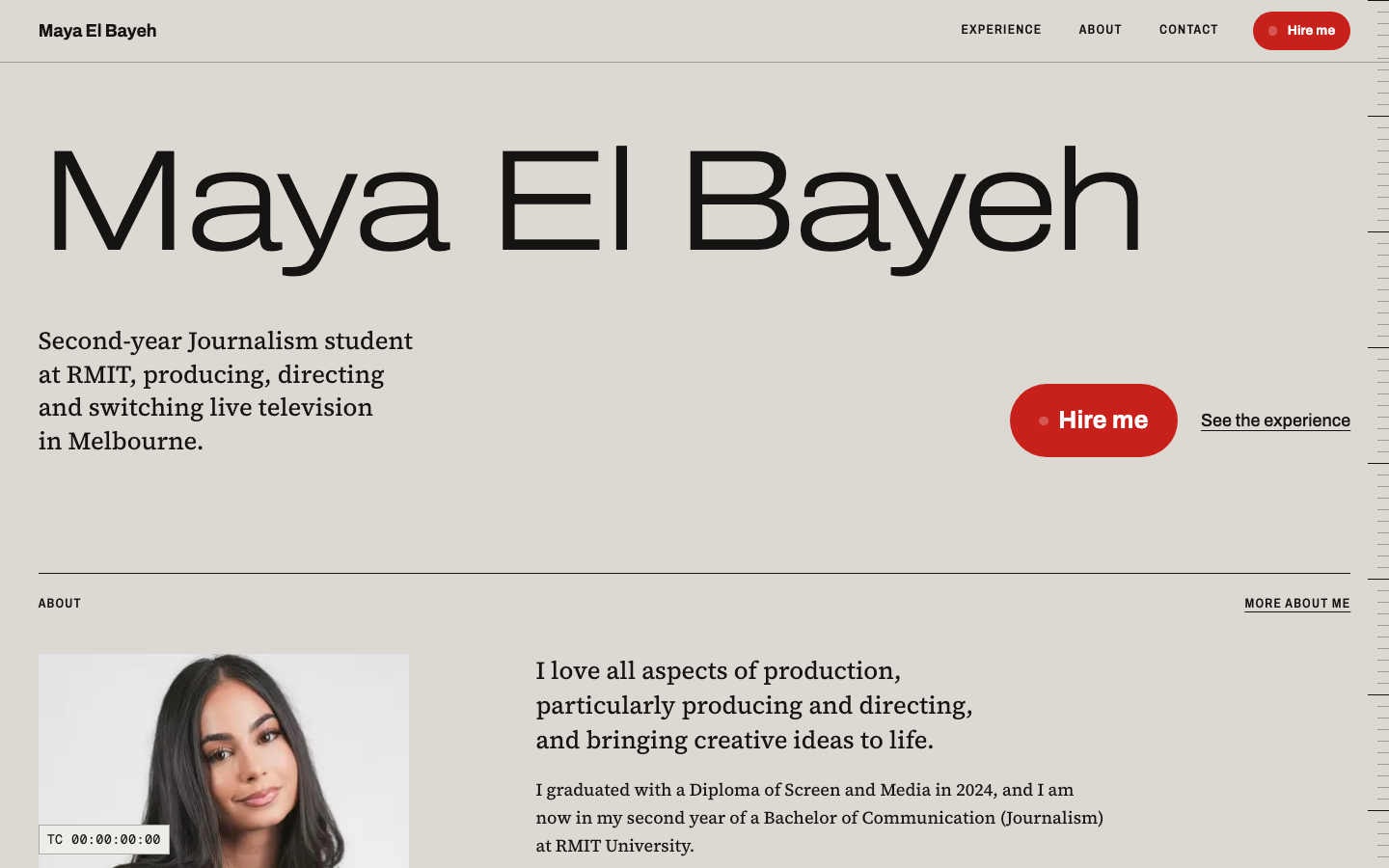
A friend needed a portfolio website. I saw this as an opportunity to dive deeper into experimentation with Claude Code. I wanted to gain experience using it in the terminal, with a workflow where I never looked at the code at all: no IDE and no code review.
Gathering a plan of attack
I had an intuition that this could be handled with a static site generator (SSG) on a simple free host like Vercel, as she didn’t have a domain of her own yet. I wasn’t 100% sure which SSG would suit the project, or what to use for styling: CSS, SASS or Tailwind.
I used Opus 5.5 first to develop a tech stack appropriate for this project. It recommended Astro, deploying with Vercel, and plain CSS. The plain CSS surprised me, but it made sense. SASS, I learned, has mostly been superseded in the modern day, as the main reasons to use it, such as variables and nesting, have moved into plain CSS. That leaves only mixins and loops, which this site did not require.
Tailwind was skipped because it tends to pull towards a more generic look, which we specifically did not want for this website. It is great for consistency in a large app or project, but for a three-page portfolio site it is not required.
Starting prompt
One technique I often use is not assuming that I’ll have the strongest starting prompt. I notice that I often fail to provide simple details that might be crucial for a project, so I got Opus to generate a prompt with all the required information to get started. The bracketed placeholders are where I filled in details about my friend.
I'm building a personal portfolio website for a friend. I want it to feel distinctive and hand-crafted, not like a Wix/template site. We're aiming to have a working, deployed version tonight.

## About her
- Name: [her name]
- Field / degree: [e.g. Communication Design at RMIT]
- What she's looking for: [e.g. junior UX/UI roles, graphic design internships]
- Personality / vibe: [e.g. playful but polished, editorial, bold colour, minimal and calm]
- Sites she likes: [2–3 URLs, plus what she likes about each]

## Tech stack
- Astro (static output), TypeScript
- Plain modern CSS: custom properties for design tokens, clamp() for fluid type. No Tailwind.
- Projects stored as Markdown files in an Astro content collection, so she can add or edit work without touching layout code
- Astro <Image> for optimised images
- Self-hosted variable fonts via Fontsource
- Motion: CSS scroll-driven animations and Astro View Transitions first. Only add GSAP if a specific effect really needs it.
- All animations must respect prefers-reduced-motion
- Deploy target: Vercel (free tier, no custom domain)

## Pages
- Home: hero with a strong intro, plus featured projects
- Work: grid of all projects
- Project detail page, generated from each Markdown file (title, role, year, tools, cover image, write-up, gallery)
- About: bio, skills, photo, downloadable CV (PDF)
- Contact: email, LinkedIn, [other links]. A mailto link is fine, no form needed.

## How I want you to work
1. Use the Impeccable skill to settle a design direction before writing any code: typography, colour, layout system, motion principles. Show me the direction and wait for my approval.
2. Scaffold the Astro project with the content collection schema, and add 3 placeholder projects so I can see the layout working.
3. Build the pages and components, then add motion and polish.
4. Do an Impeccable polish and audit pass: accessibility (contrast, focus states, semantic HTML, alt text), responsiveness down to 360px, and performance.
5. Write a short README explaining how she adds a new project, updates her bio and swaps the CV, written for a non-developer.
6. Tell me the exact steps to push to GitHub and deploy on Vercel.

Keep dependencies minimal. Ask me questions if anything above is ambiguous before you make big decisions.
After I supplied the initial prompt, I switched to Sonnet and asked it to start building the scaffolding. Once I have a plan, I typically hand implementation to Sonnet because it is cheaper and well suited to the job, whereas Opus is great for higher-level thinking and planning but costs more. While Sonnet worked, I created a content folder containing all the images, videos, text and links she had supplied me.
Getting a design that wasn’t AI slop
AI slop doesn’t mean a design that is bad. It often looks really good, but it is so tell-tale and prevalent these days that people can spot it. In my experience, the way to avoid a generic design is to build it purposefully: there should be a reason for each decision beyond “it looks nice”.
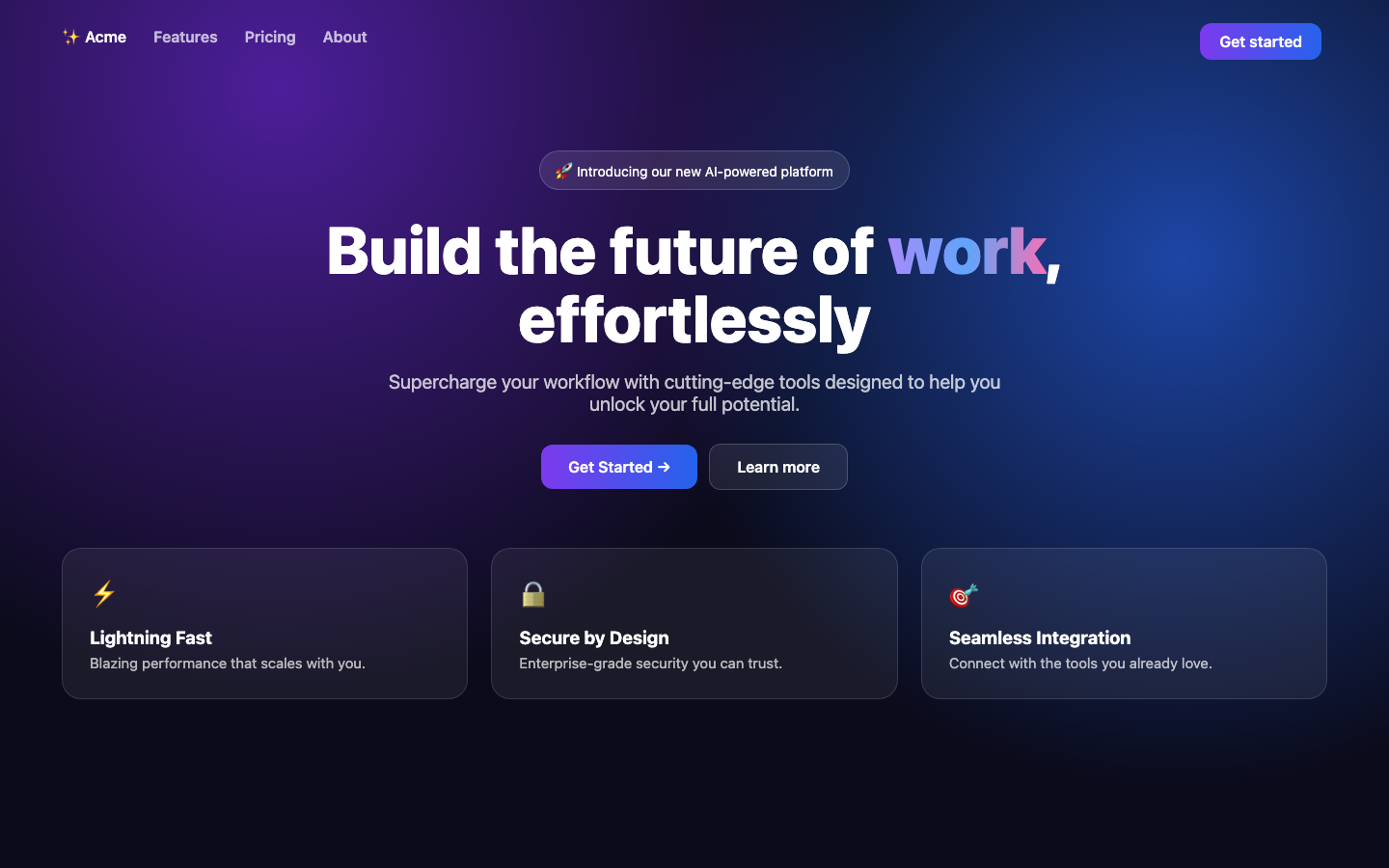
Here is the kind of thing I mean. This is a mock landing page I put together to show the usual tells: a dark purple-to-blue gradient, a gradient word in a centred headline, an announcement pill with an emoji, and a row of three icon cards.
I used the Impeccable skill for this from the start. The prompt told Claude to settle a design direction (typography, colour, layout and motion) and wait for my approval before writing any code. That led to really good results, and I never had to change the overall direction. She wasn’t fussed about the details at that stage and only wanted something creative that matched the look she was going for and how she wanted to present herself to employers.
When I asked her what vibe she wanted, she only really stated neutral colours, elegant and classy. That fed into the direction Claude proposed, which is why the design is led by sans-serif headings and serif paragraph text. Sans-serif gives headings a more geometric, clean look, while serif body text leans towards print media, which is the industry my friend is involved in.
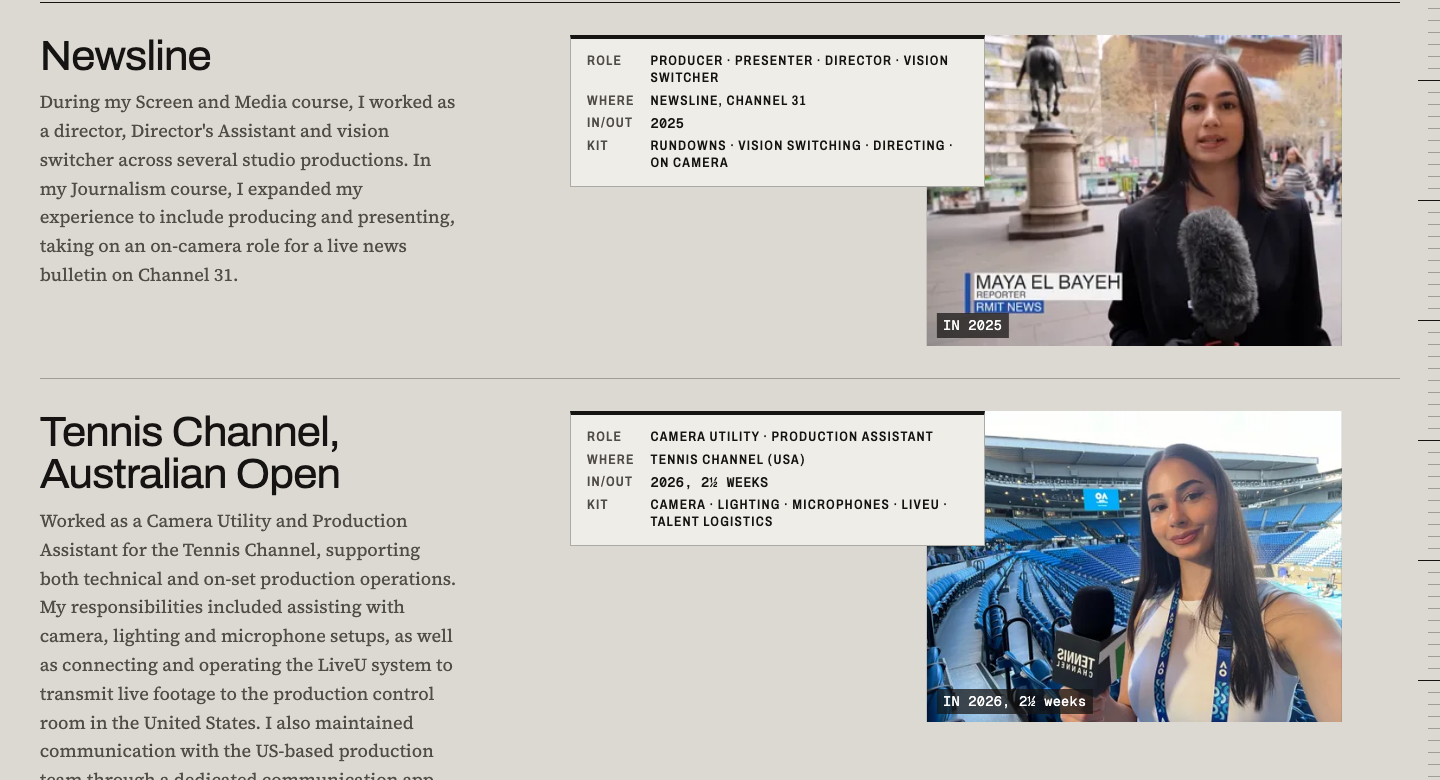
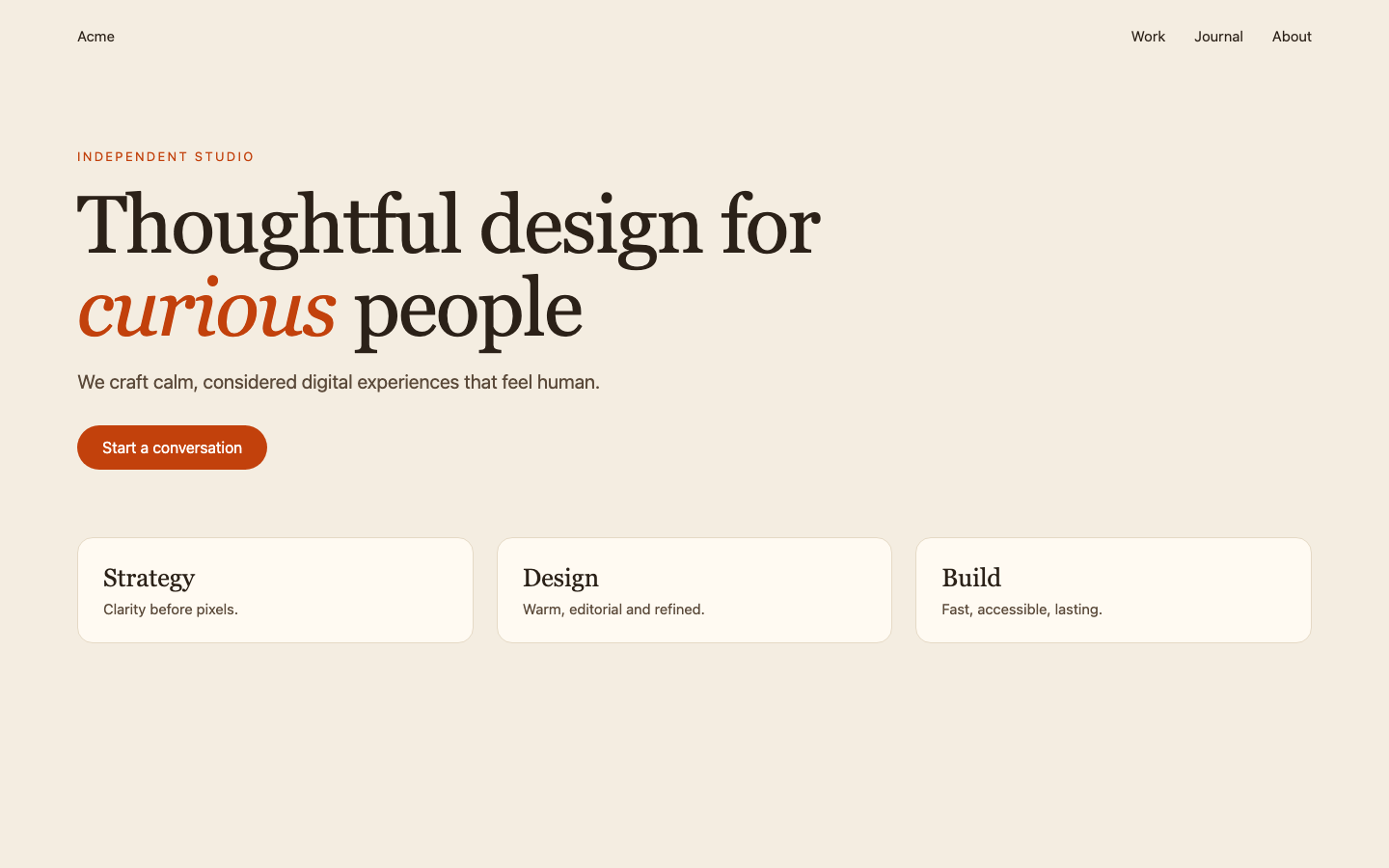
One thing I deliberately avoided was a serif font for headings. LLMs overuse it, and it has become hugely popular partly because of Claude’s own design language, which uses serif fonts heavily. I am a sucker for serif fonts, but I think they have their time and place: signalling tradition or authority, or working with print media. Now that they are so overused, an easy way to make your website look less AI-generated is to avoid serif fonts unless there is a reason to use them.
Deploying
It was as simple as asking Claude to deploy to Vercel. It prompted me to log in and that was it. Any time I made changes and wanted to show my friend, I simply prompted Claude to redeploy and it did it for me.
Reviewing the work
Without code review, I checked the work purely through visual inspection. I would look at it on my laptop, then open the deployed site on my phone to check the responsive design. In my experience Claude is now really good at producing responsive, accessible layouts by default, and the Impeccable skill adds audits for both responsiveness and accessibility.
Issues faced
Two things slowed me down, and neither was really a coding problem.
The first was a video that came out with really washed-out colours. This was due to a colour conversion from the .HEIC format that iPhones record in to MP4. I fixed it by asking Claude why it happened, then asking it to fix it.
The second was time. Once there was a working site in front of her, I spent about two hours on the phone with my friend iterating on small design details. I don’t blame the AI for this. In my experience of building software for clients, they rarely know exactly what they want at the start and will nitpick many small details once they can see the result.
Why this workflow is so powerful
For a use case where the code is only for visuals, like HTML and CSS, the code in a sense doesn’t matter, but the output does. You can judge the result the same way a visitor would, by how it looks on desktop and mobile devices. A portfolio website is a really good place to try a no-code workflow.
Risks
I didn’t review a single line of code. That worked well here, because the portfolio needed to be built in a very short amount of time and is almost entirely visual, with minor functionality. However, this setup becomes riskier as projects get bigger. For a typical multi-layered software project, I review each pull request before merging.
Would I do it again?
For a visual-only project like this, yes. Looking at the result instead of the code was the right level of scrutiny, and it let me spend my time on the design conversation with my friend. For anything with real logic, data or users depending on it, I would keep the code review.